 PrivatePDF
Edit PDFs.
Never upload them.
PrivatePDF merges, splits, reorders, signs and compresses PDFs right inside Chrome. Your files never leave your computer.
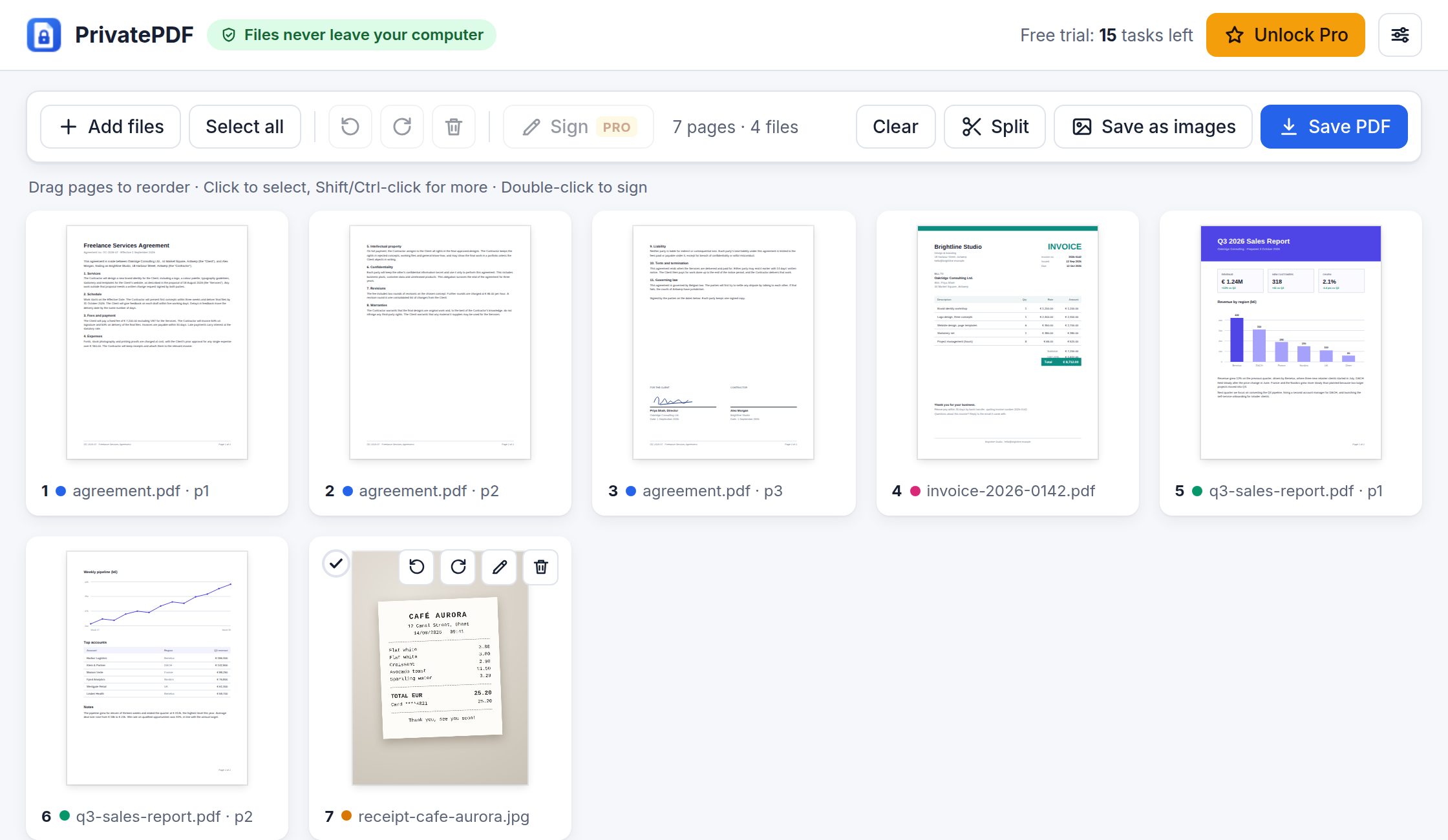
Everything you need for everyday PDFs
Merge
Combine PDFs and images (JPG, PNG, WebP, GIF) into one PDF.
Organize
Drag pages into order, rotate them, and delete the ones you don't need.
Split
Every page, every N pages, custom ranges, or just the pages you pick.
Images ⇄ PDF
Turn photos and scans into a PDF, or save pages as PNG or JPG.
Sign Pro
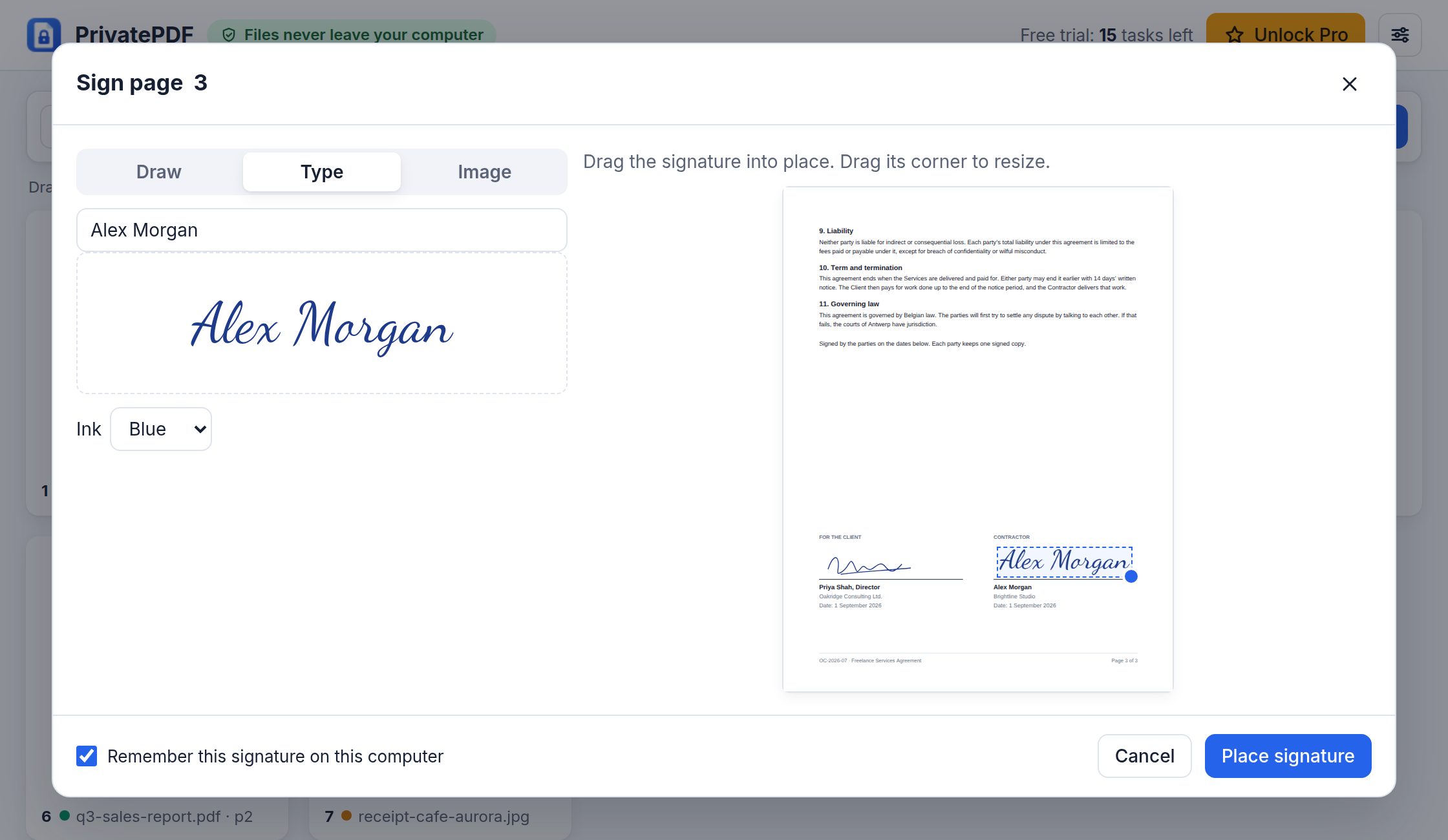
Draw, type or upload your signature and drag it into place.
Finish and compress Pro
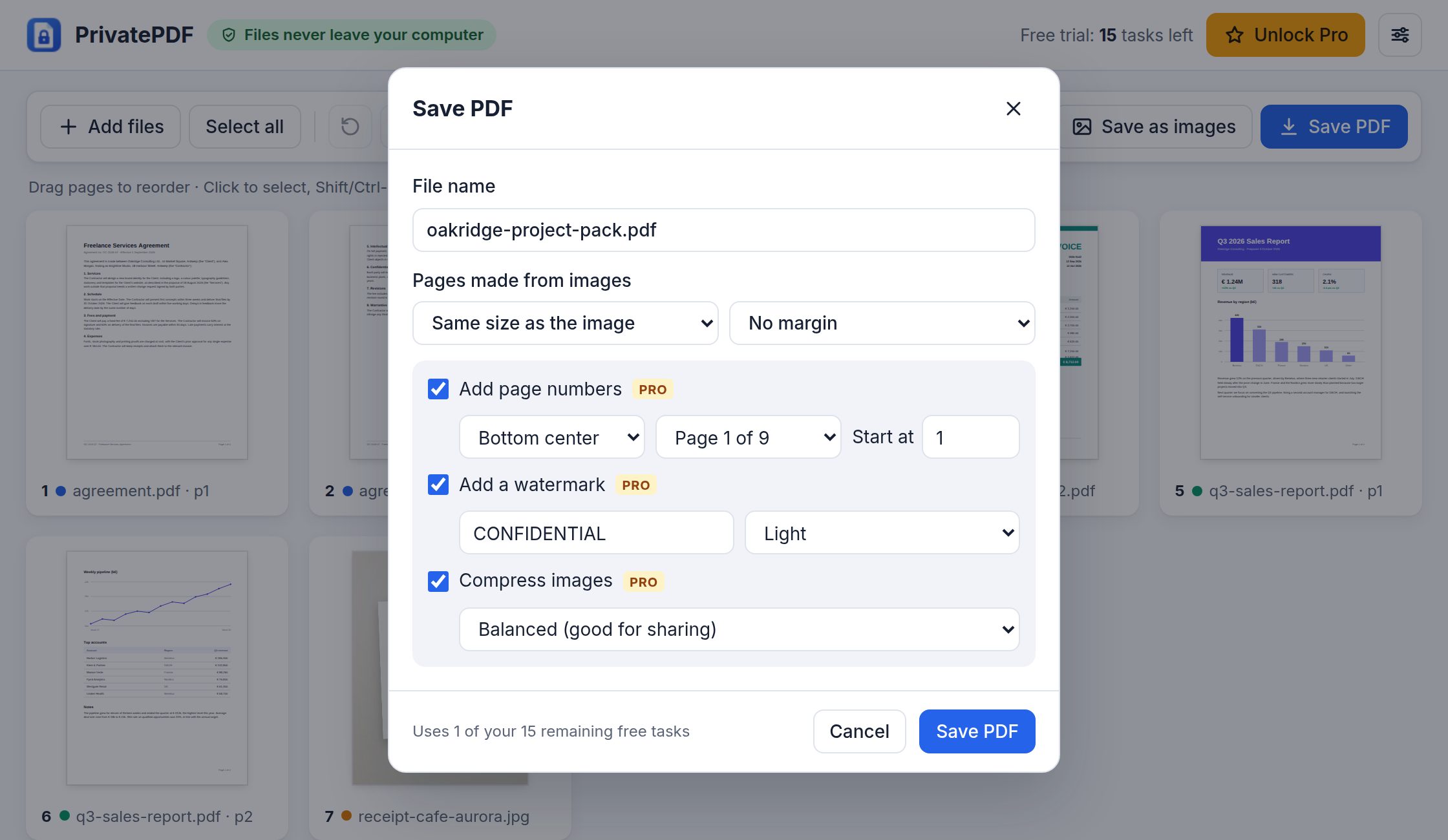
Add page numbers and watermarks, and shrink big scans to fit in an email.
Sign documents in seconds
Draw your signature, type your name, or use a scan of your signature. Drag it into place and save. PrivatePDF can remember your signature on this computer, so next time it takes one click.
Finish documents before you send them
Add page numbers and a watermark such as CONFIDENTIAL, and shrink PDFs full of photos or scans so they fit in an email.
Private by design
Files stay on your computer
PDFs are opened, edited and saved by Chrome on your device. Nothing is sent to a server, ours included.
No internet access
The extension has no permission to connect to the internet. License keys are checked on your computer.
No account
Install it and start. There's nothing to sign up for.
No tracking
No analytics, no ads and no tracking code.
Try everything first. Pay once.
Free trial
Every feature
for your first 15 tasks
Free plan
3 tasks a day
merge, split and save as images, for as long as you like
Pro
$4 once
unlimited use and every feature, with no subscription
A task is one saved file: Save PDF, Split or Save as images. Arranging pages is always free.
Coming soon to the Chrome Web Store